Kling 4.0 Goes Global: 30-Second Videos in a Single Generation
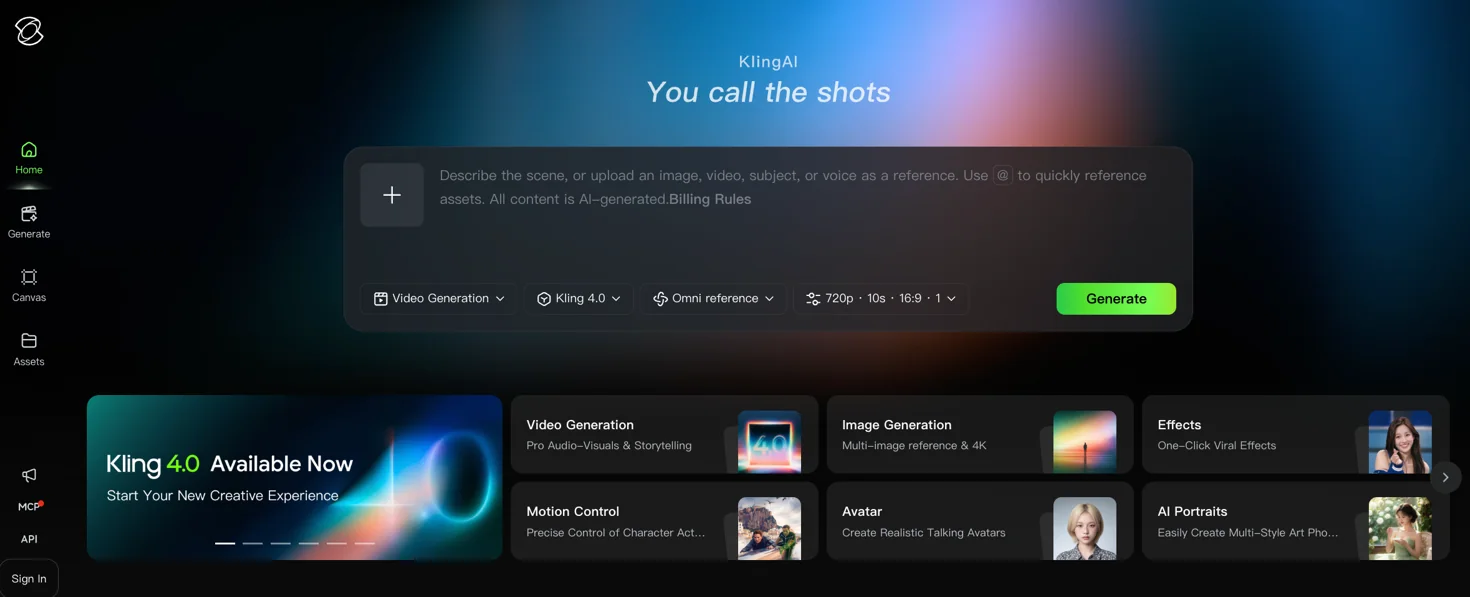
Kling AI has launched its video generation model Kling 4.0 globally. Alongside image quality, the company is highlighting control tools: up to 30 seconds of video in a single generation, up to 15 references and up to 10 keyframes. For brands producing AI animated films or product videos, those control tools are the most relevant part. Some of the announced features are not available yet.
What happened
Kling AI, the AI video unit of Kuaishou, launched Kling 4.0 globally on October 16. According to the company’s press release, the updates are:
- The model generates up to 30 seconds of video in one generation. Kling positions this for long takes and continuous storytelling.
- Up to 15 references, including images, video and audio, and up to 10 keyframes (control points that pin down specific moments in a scene). Kling says these help with character consistency and control over scene transitions.
- White-model (untextured 3D blockout) and depth-map videos can be supplied as references to steer character performance, action and camera movement.
- According to Kling, camera moves such as push-ins, pull-outs, pans, tracking and orbit shots are now more natural and stable.
- Prompts can run up to 8,000 tokens.
- Language support is wider: English, Japanese, Korean, Spanish, Portuguese, German, French, Hindi and more, plus accents such as American, British and Indian English.
- 10-bit HDR output at 4K and 1080p, a 21:9 ultrawide format, and API access for enterprise customers and developers are still “coming soon”.
The model is live on the Kling AI website. According to an Adobe statement in the release, Kling 4.0 and Kling 4.0 Flash are also coming soon to Firefly. Kling says it serves more than 100 million users and over 50,000 enterprise customers; these figures are the company’s own. According to Tech in Asia, Kuaishou shares rose about 4% on October 16, after the launch and reports that Kling is preparing for an IPO.
What Kling is emphasizing: control and consistency
A Kling spokesperson told TechNode that image quality is becoming a baseline capability, and that the next priorities are finer creative control and a better understanding of scripts and storyboards. The spokesperson also said that as videos get longer, the biggest technical bottleneck is keeping characters, action, camera and lighting consistent. The Evolutionary Films co-founders quoted in the release describe a similar experience: “It feels increasingly like directing a film rather than prompting an AI.” Kling is a technology partner on that studio’s animated feature, so their comment should not be read as an independent test.
Consistency is a familiar problem for anyone making films with AI. As TechNode notes, individual shots can look convincing and still break the character’s appearance or the flow of action once they are cut together. Kling 4.0’s 30-second generation, references and keyframes target that problem. It is too early to say how well they solve it. These are the company’s claims, and TechNode notes that results will depend on how complex the scenes are. We won’t draw firm conclusions until we have tried it in our own productions.
What it means for your brand
Keyframes need a storyboard
Keyframes let you pin down specific moments in a scene in advance. To use them, you need to know when the product appears, where the character looks and how the scene ends. Keyframes are optional; the Evolutionary Films co-founders say they work through references and descriptions without building every shot with keyframes. Wherever nothing is defined, the model makes the call. A brand that wants to steer the result has to make those decisions at the storyboard and brief stage.
Reference files need to be ready
References can be images, video and audio: product shots, character artwork, approved voice recordings. Making use of 15 reference slots requires those files to sit in a current, well-organized archive. If logo, color and character rules are already defined in a brand identity system, putting that set together is easier.
Keep post-production in the plan
Kling says the upcoming 10-bit HDR output will leave more room for color grading. The feature isn’t available yet, but it shows the company itself sees the output as material for post-production. Color, sound, editing and subtitles still need to be planned for brand films.
Test Turkish separately
Turkish isn’t among the languages named in the release. Turkish voiceover and lip-sync quality should be tested separately before anything goes live.
Limits and open questions
As TechNode puts it, more control doesn’t mean AI can make a film on its own. Story, shot selection and the final edit still require human judgment. Beyond that:
- When the real product, location or people must look exactly right, we think a live shoot is still more reliable. In those projects, AI can be used alongside the shoot.
- Copyright and likeness rights still apply. You need usage rights for every image, video and voice you upload as a reference.
- The API is still “coming soon” and the release gives no pricing. Access terms need to be clear before building a scaled production pipeline.
Practical steps
- Gather your reference files: clean product shots from several angles, logo and color rules, character artwork if you have it, and approved voice recordings. Keep them in one folder with clear names.
- Storyboard before you write prompts. For a 30-second film, define the scenes and the moments you want to pin down; the 8,000-token prompt limit leaves room for a detailed brief.
- Run a pilot with a single product video. Check whether the product stays the same across shots, and check the logo and on-screen text in your languages.
- Budget time for color, sound, editing and brand checks.
- Put usage rights for reference files and a pre-publication sign-off step in writing.
At Klyne, our AI animated film projects start by setting the story and the brand rules. The films we produced for Gala Fresh (MBA Tarım) for Fruit Attraction Madrid and Fruit Logistica Asia followed a blueberry character’s journey. Work like this needs the character to stay the same from scene to scene, which is why we are following Kling 4.0’s reference and keyframe features closely. When needed, we combine video production shoots and motion graphics in the same project. For developments on the Adobe Firefly side, see our post on Photoshop and Firefly arriving in Gemini.
FAQ
Can I use Kling 4.0 now?
Yes, on the Kling AI website, according to the company. API access for enterprise customers and developers is “coming soon”, as are 10-bit HDR and the 21:9 format.
Can we make our product video entirely with Kling 4.0?
That is hard to say without a pilot. When the product must look exactly right, you need good references and human review, and combining AI with live footage is often safer. Short social films and concept videos are better candidates for a first test.
Does it support Turkish voiceover?
Turkish isn’t named in the release, though the list ends with “and more”. We recommend testing voice and lip-sync with your own script before publishing.
If you’d like to work out whether your next brand film, product video or trade show film should be made with AI, a live shoot or a mix of both, get in touch.
Sources
- Kling AI Launches Kling 4.0 Globally with Professional-Grade Output, Stable Motion and Multimodal Control · Kling AI (GlobeNewswire)
- Kling AI 4.0 suggests a shift in AI video competition from visual quality to directorial control · TechNode
- Kuaishou shares rise 4% as Kling AI launches video model · Tech in Asia